
Change Redemption Fulfillment Status
Redemptions can optionally track a product fulfillment status. This feature is primarily intended for Physical Product-type Rewards where you are shipping something to the Member who redeemed the Reward. This status includes a wide range of values, such as Confirmed / Paid, Shipped, and Delivered.
The platform allows you to manually change a Redemption's fulfillment status from either the Redemptions screen, or from the Redemption Details screen.
Change Fulfillment Status from the Redemptions Screen
To manually change a Redemption's fulfillment status from the Redemptions screen:
-
Select Rewards from the top navigation bar, then select Rewards > Redemptions from the side navigation menu. The Redemptions screen is displayed.
-
Search for the desired Redemption (see Search for a Redemption for more information on the available search options).
-
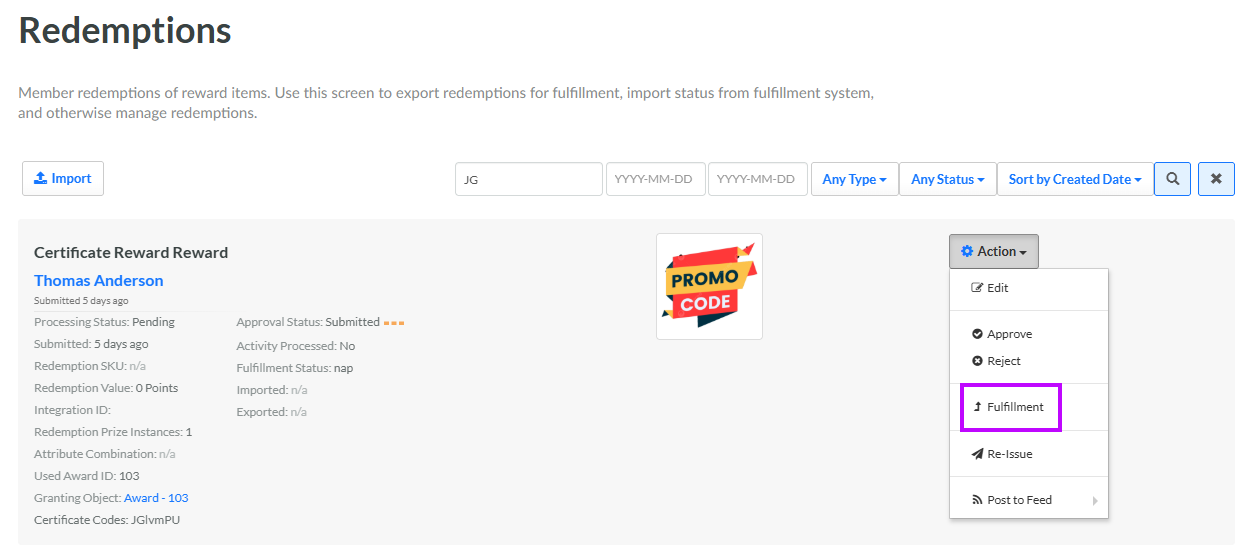
Next to the desired Redemption, from the Action drop-down menu, select Fulfillment. The Fulfillment Form pop-up window is displayed.
-
From the Fulfillment Status drop-down menu, select the desired status.
-
Click Save.
Change Fulfillment Status from the Redemption Details Screen
To manually change a Redemption's fulfillment status from the Redemption Details screen:
-
Select Rewards from the top navigation bar, then select Rewards > Redemptions from the side navigation menu. The Redemptions screen is displayed.
-
Search for the desired Redemption (see Search for a Redemption for more information on the available search options) and click its Reward name. The Redemption Details screen is displayed.
-
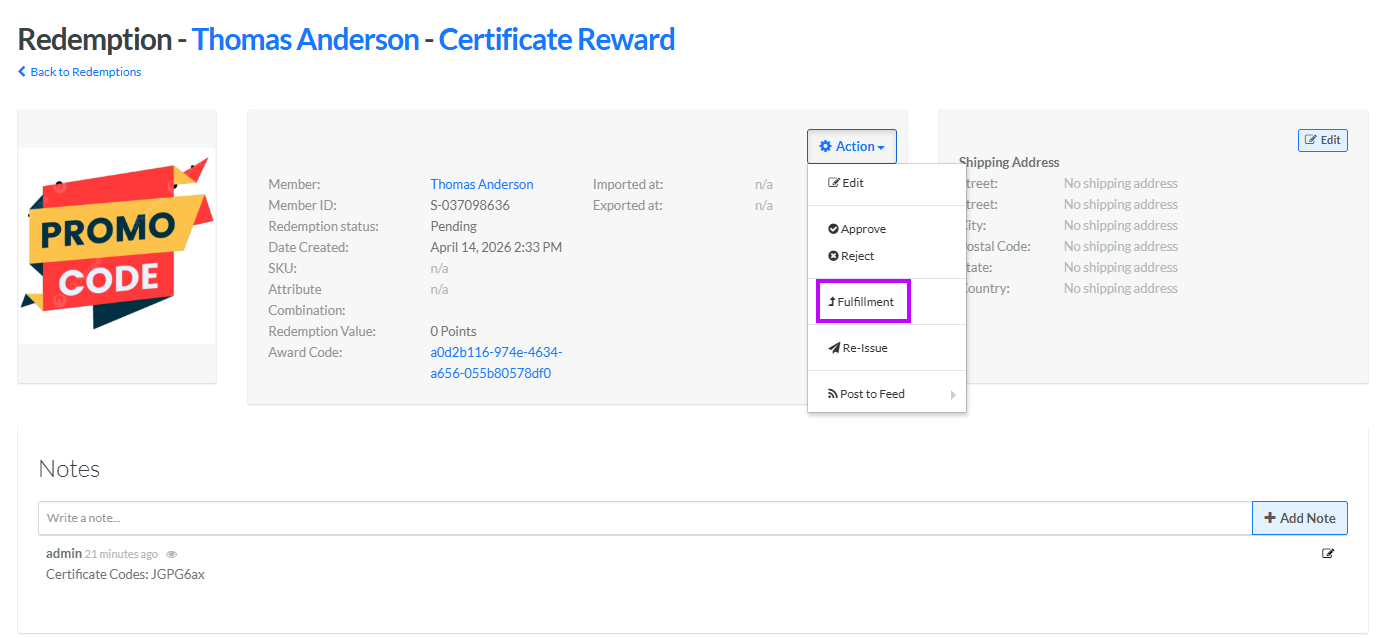
From the Action drop-down menu, select Fulfillment. The Fulfillment Form pop-up window is displayed.
-
From the Fulfillment Status drop-down menu, select the desired status.
-
Click Save.
